
Fuse images to gain the best exposure
Photomatix allows you to gain the perfect exposure in a picture by blending two photos that are maybe each slightly out of focus. Given that most digital cameras can auto-bracket at different exposures, you do not need to acquire expensive lighting equipment - and carry it - when shooting high contrast scenes. Simply enable Auto Exposure Bracketing, and let Photomatix merge your photos into an image with extended dynamic range.
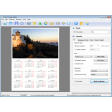
This program can save you hours of time in post-processing as Photomatix is designed for productivity - i.e. automatic blending, unlimited stacking, easy comparison of results and batch processing. This can save you hours in adding masking and layers with image editing programs.
The developers claim it can even surpass Photoshop CS2 in HDR conversion. If you've ever created a 32-bit HDR image in Photoshop CS2 and could not get a good conversion Photomatix Tone Mapping tool may help.
This is a very powerful program although will only be appreciated by professional photographers that know how to auto-bracket photos at different exposures.


























User reviews about Photomatix
by Anonymous
PhotoShop it's not!. #0 I do wish you had...
#1 Made it easier to understand.
#2 Made it clear and well-structured
#3 Describe the program more clearer.
#4 I am giving you this review because ask me to 4 time and I'm get tiered of hitting delete.
#5 I really didn't wast much time on a program that was very hard to get around in to edit my pictures to tell you the truth.
# 6 I think I would rather was my time trying to understand PhotoShop.
Thank you for asking!
Cheers, Chuck More